
How to Configure Settings
The Settings screen contains configuration shared across the entire store.
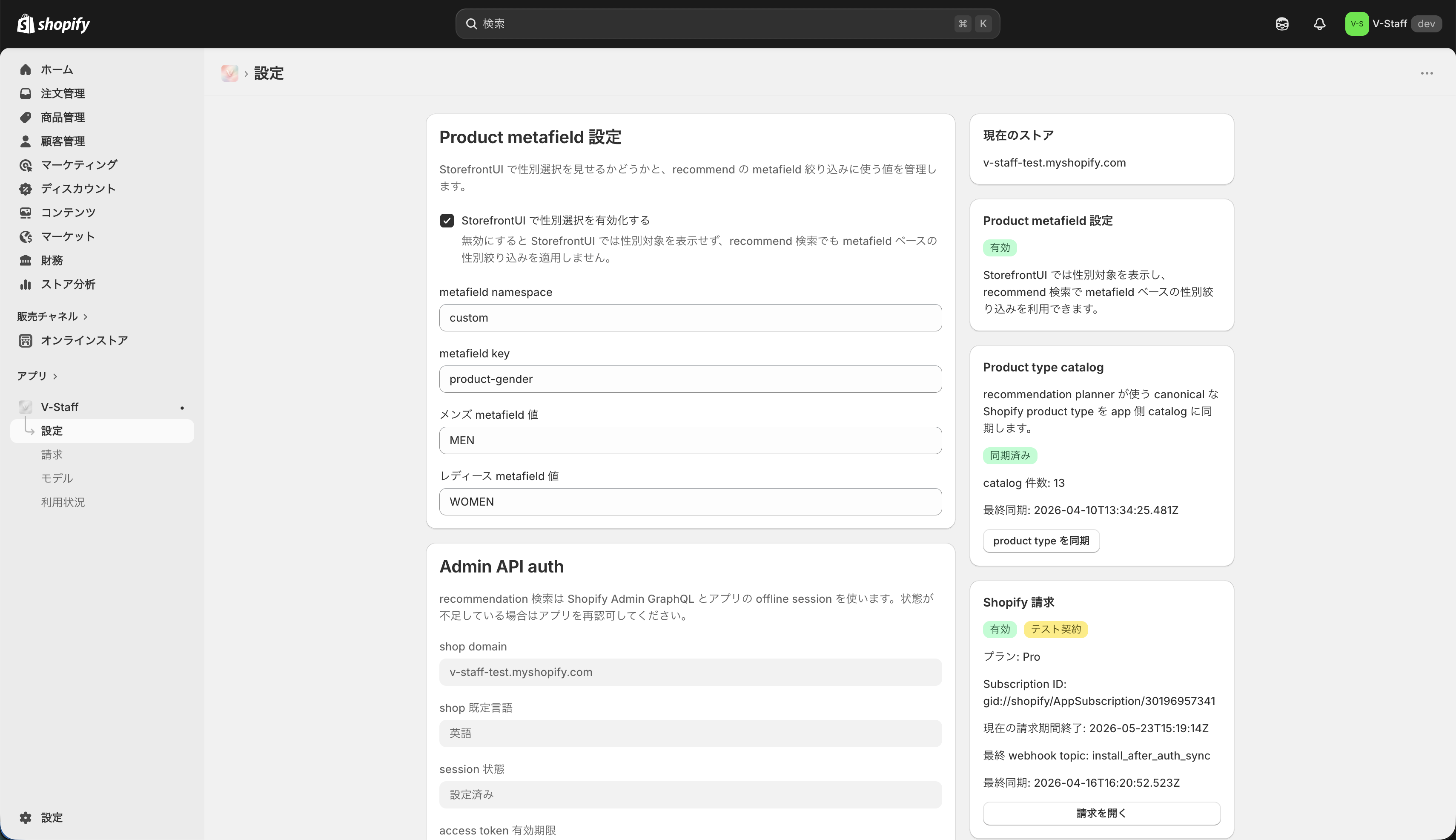
Product metafield settings
These settings manage the values used for product search and for determining target categories.
- Enable gender selection in the Storefront UI
- namespace
- key
- men metafield value
- women metafield value
If gender selection is disabled, the Storefront UI will not show the target-gender selector and recommendation searches will not apply gender filtering based on metafields. The saved metafield values remain in place, so they can be reused if you enable the setting again later.
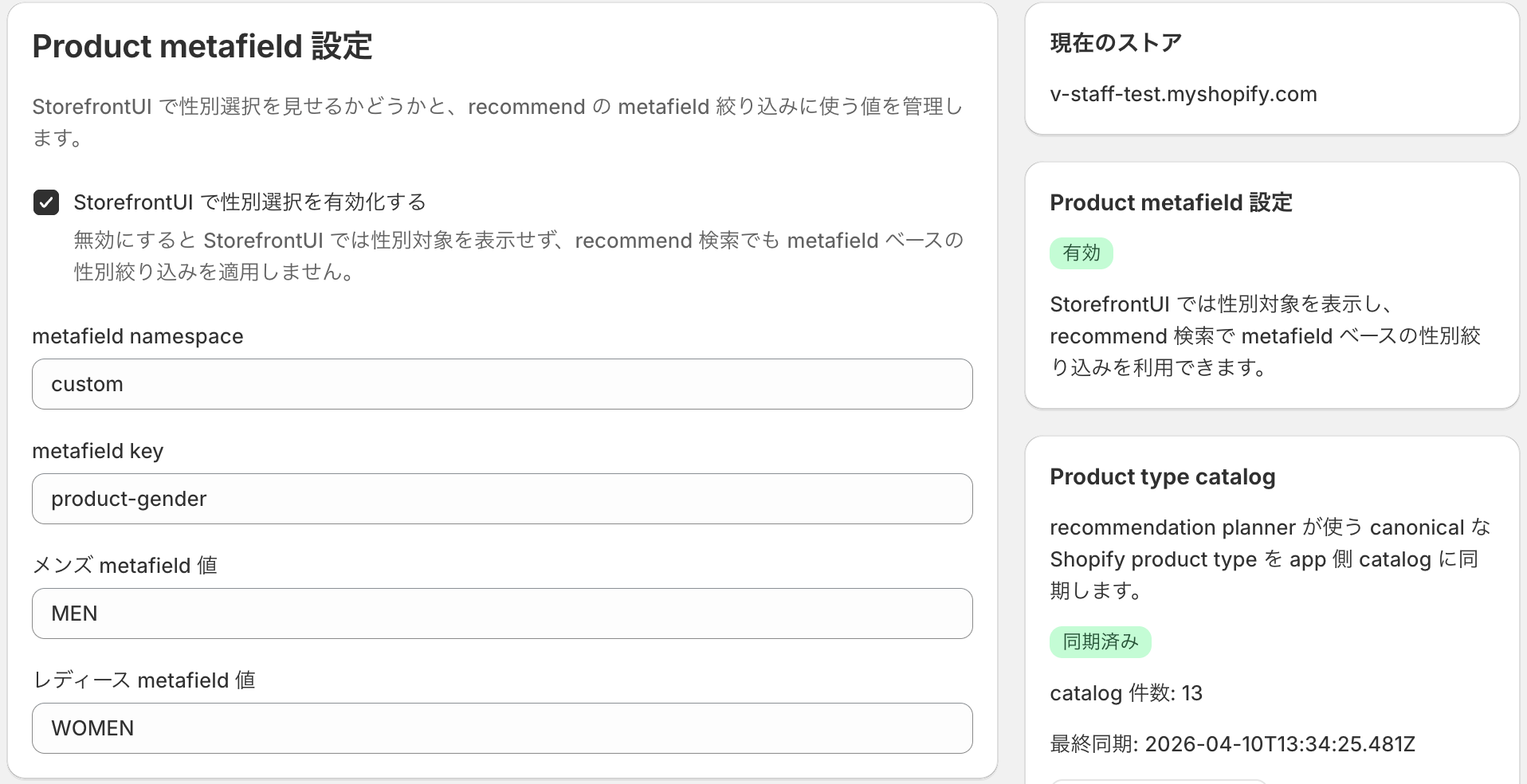
Product type catalog
The Product type catalog manages the canonical Shopify productType catalog used by the recommendation planner.
- Sync status
- Number of catalog entries
- Last sync time
Sync product types
When you run Sync product types, the app fetches the current product type list from the Shopify Admin API and updates the app-side catalog. Run it when product types have changed on existing products or when you want recommendations to reflect newly added product types.
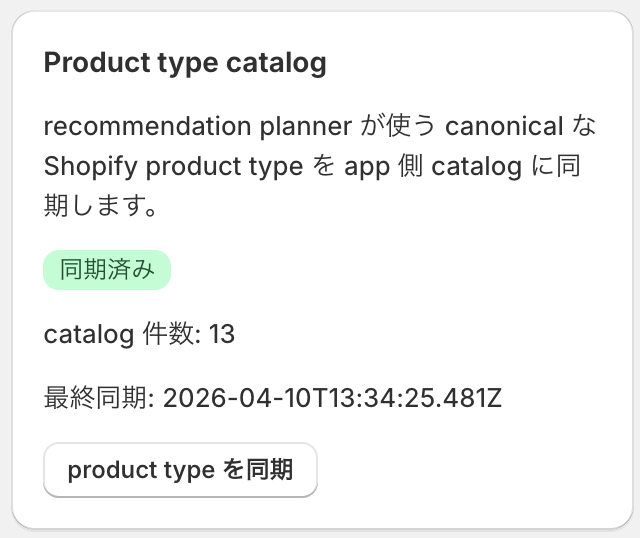
Admin API auth
The Admin API auth section is where you review connection status and scopes.
- shop domain
- default language
- session status
- expiration of the access token / refresh token
- granted scopes / missing scopes
Check this section first if re-authentication is required.
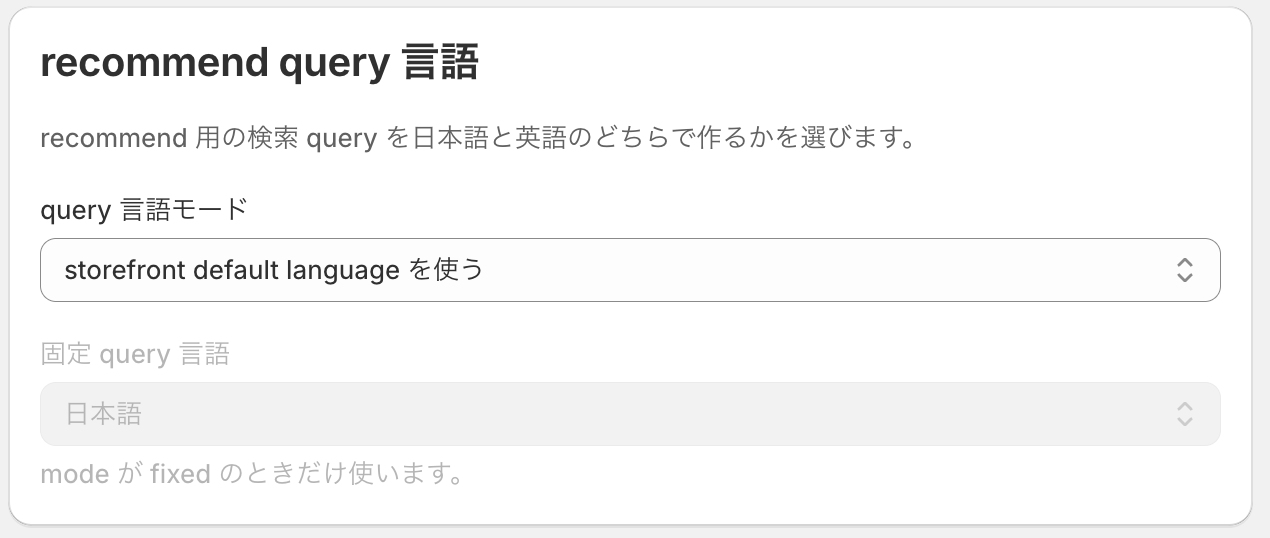
Recommendation query language
This section manages the query language used for recommendations.
- Use the shop default
- Use the buyer locale
- Use a fixed language
Choose either a fixed language or buyer-locale-based behavior according to your operating policy.
LLM settings
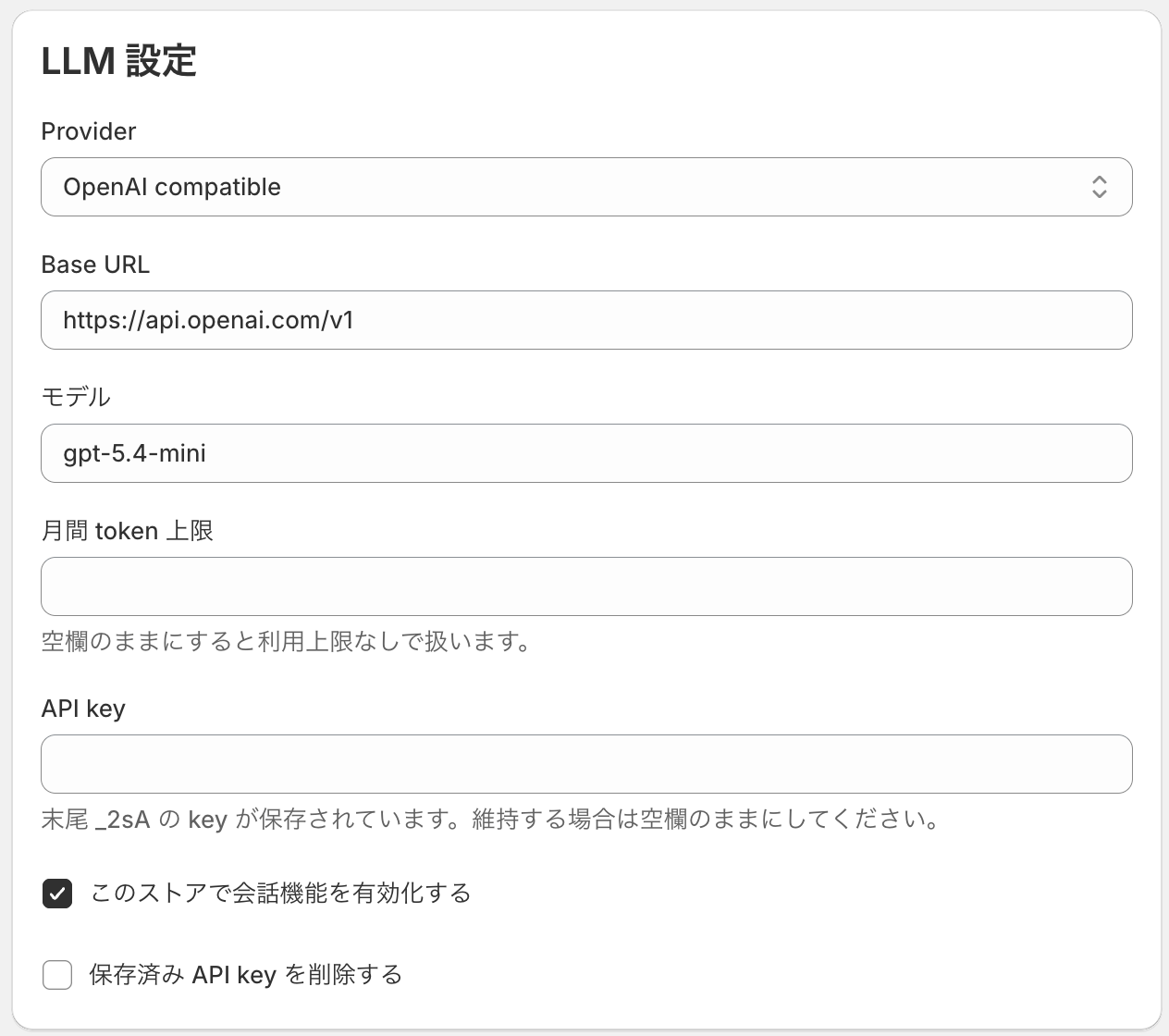
If you use an LLM, configure the following:
At the moment, both
mockandLLMmodes are available, butmockis intended only for behavior checks.Be sure to configure an actual LLM before using the app in production.
The following LLM has already been verified. If you use another model, we strongly recommend choosing one with comparable quality and response speed.
Verified LLM:
- OpenAI gpt-5.4-mini
- provider
- base URL
- model
- API key
- monthly token limit
- Enable conversation features
Save and validate
Save settingssaves the current input values.Save and validatesaves the data and then checks the validity of the connection and settings.Sync product typesis used when you want to update only the product type catalog separately from the save action.