
How to Read the Dashboard
The Overview screen helps you understand the current setup status and the items you should prioritize.
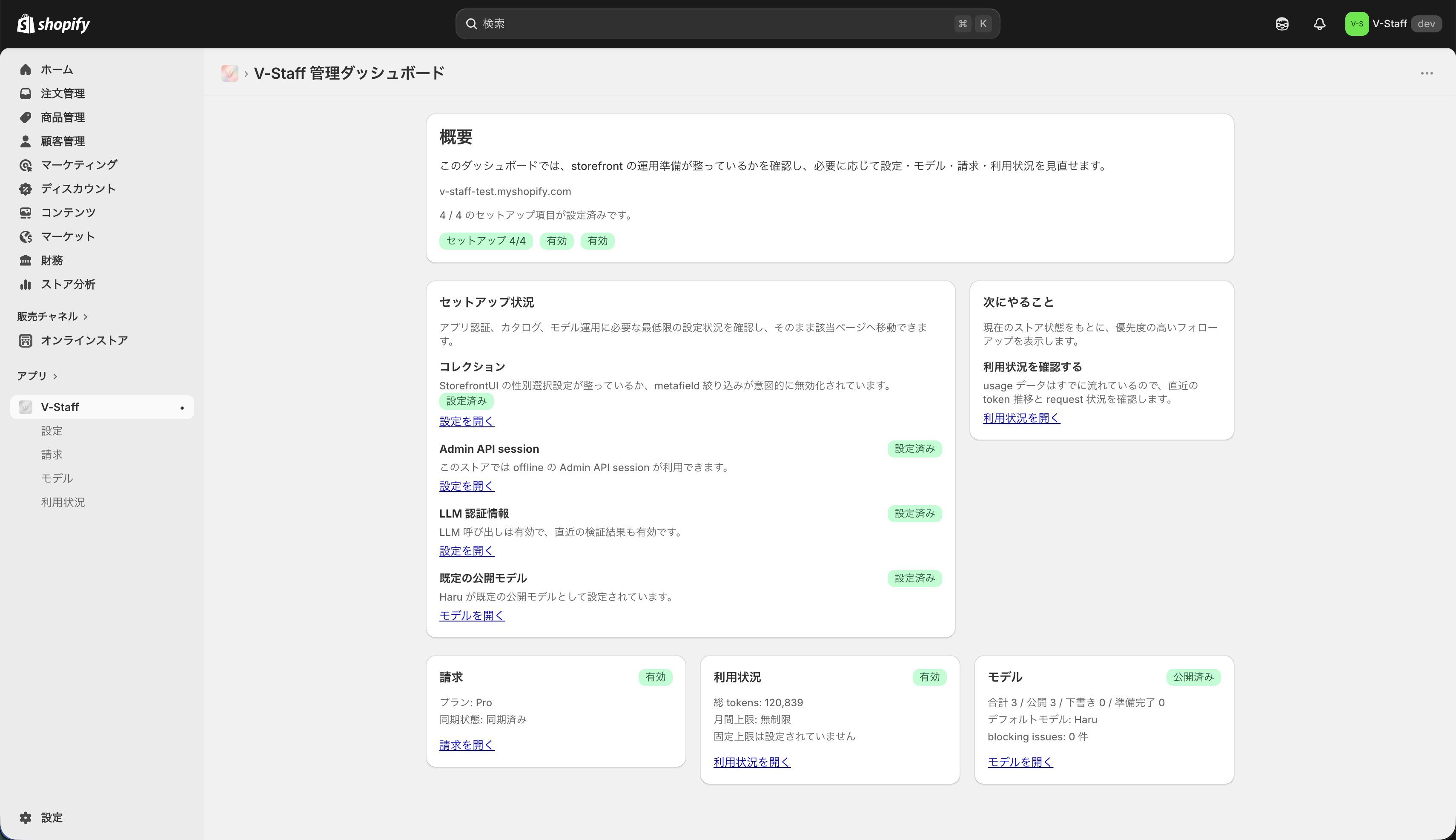
Overview section
- Store name
- Setup progress
- Current summary information
Start here to confirm how far the rollout has progressed.
Setup status
The setup status area shows the main conditions related to setup and operations.
- Whether things are progressing normally
- Whether additional work is required
- Which screen you should open next
What to do next
The next actions area provides shortcuts to the settings or checks you should perform next. During the initial rollout, starting here makes it easier to avoid missing a step.
Stat Cards
Stat Cards summarize operating information such as:
- Billing sync status
- Usage volume
- Number of registered models and the current default model