
Checking Placement and Display
After enabling the App embed, review the display position and appearance on the storefront.
Checkpoints
- Where it appears within the screen
- Whether it overlaps with existing UI
- Whether the mobile display stays intact
- Whether the path to the first launch is visible
How to review it
Desktop display
- Check the V-Staff placement on representative pages.
- Confirm that it does not interfere with CTAs or product paths.

Mobile display
- Check in the theme preview or on a real device that the layout does not break.
- Make sure scrolling and close actions are not obstructed.
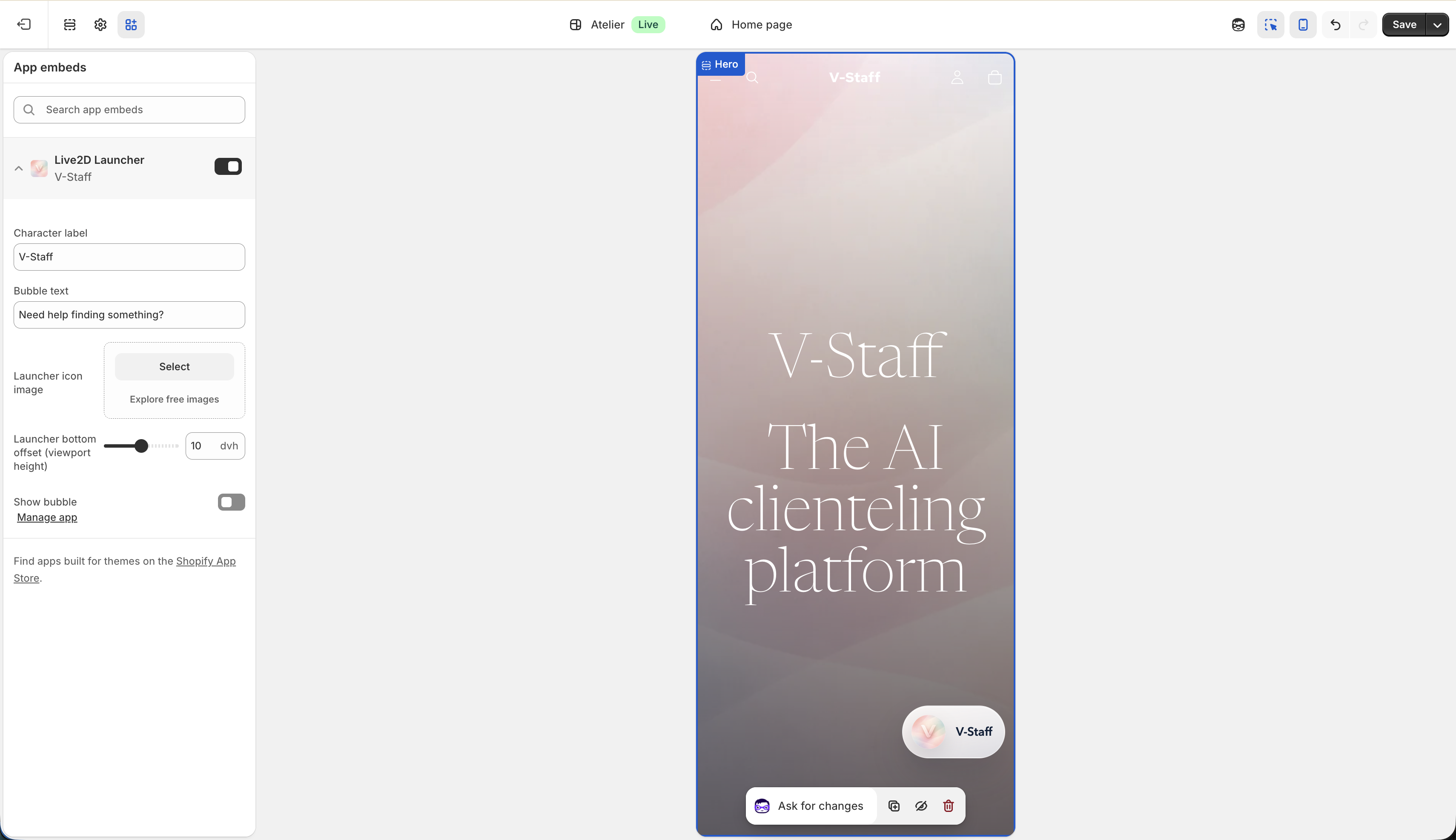
How to think about adjustments
- Review not only the visual appearance but also the interaction flow
- Check whether users can proceed smoothly to conversation start and assistant selection
- Review theme-side display conditions as needed